Medicai Mobile Imaging App gives clinicians a mobile DICOM viewer backed by cloud PACS, so studies stay accessible on iOS and Android. Our app supports fast review, collaboration, and secure sharing when the care team is away from the workstation. The app fits consults, second opinions, and on-call workflows.


Medicai's Mobile Imaging App helps healthcare providers work more efficiently by streamlining workflows and reducing the time it takes to access and review patient data. This app improves patient care and reduces the risk of errors or delays.

No more being tethered to a workstation. Whether you're at the hospital, at home, or even traveling, Medicai gives you instant access to patient images. Make informed decisions anytime, anywhere.
Time is of the essence in healthcare. Medicai streamlines your workflow by putting critical imaging data at your fingertips. Access, analyze, and share images on the go, saving valuable time and improving productivity.
Say goodbye to delays and fragmented communication. With Medicai, instantly share images with colleagues for real-time consultations and second opinions. Discuss cases, get expert input, and arrive at more accurate diagnoses together.
Ultimately, it's all about the patient. Medicai empowers you to make faster, more informed decisions, leading to quicker diagnoses and improved treatment plans. Deliver the best possible care, no matter where you are.
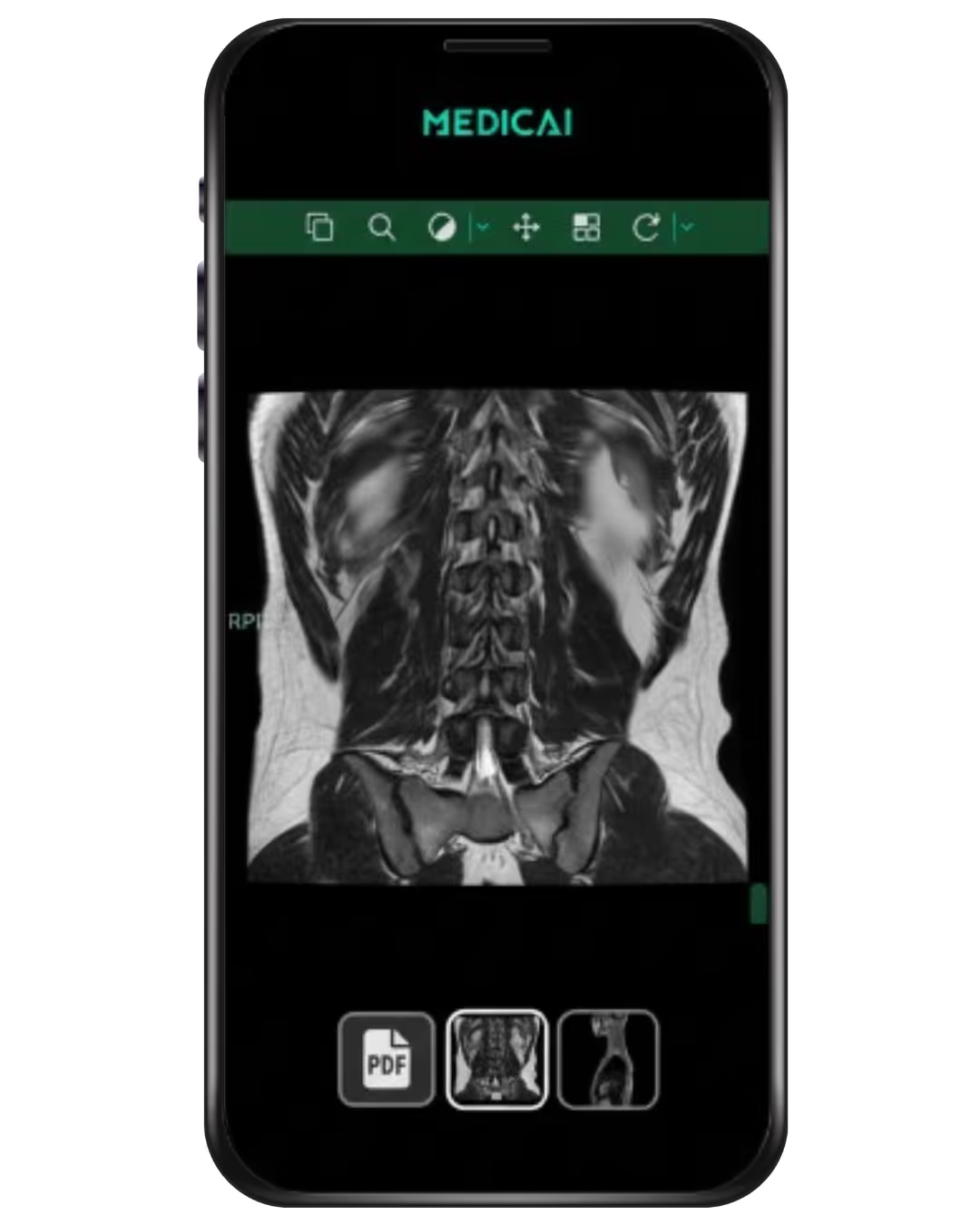
Medicai's mobile imaging app puts the power of a complete PACS system right on your smartphone or tablet. Clinicians can access, view, and analyze medical images like X-rays, CT scans, or MRIs from anywhere, anytime.
Medicai Mobile Imaging App connects to your imaging workflow so you can view DICOM studies, compare priors, and share a secure link with colleagues or patients.
Medicai does not ask patients to install this app to view a scan. Medicai directs patients to the Free Online DICOM Viewer for quick viewing in a browser.
Collaborate with colleagues in real-time, streamline your workflow, and make faster, more informed diagnoses. With an intuitive interface and robust features, Medicai empowers healthcare professionals to deliver exceptional patient care, no matter where they are.
Give it a try, play with it! Using our embeddable DICOM Viewer, you can easily view your DICOM files anywhere online (web, in the mobile application). Your DICOM files are stored in your Medicai workspace, in your cloud PACS.
For a quick view of a single DICOM study with no account required, use the free online DICOM Viewer — no sign-up, no installation, available instantly. For clinical teams needing secure storage, worklists, priors access, and PACS integration, this is the product for you.


"Definitely this application provides us with fast, remote imaging acquisitions. In addition, we can always make comparisons between different cases, we can make databases, we can make collections on different pathologies, we can collect special cases, I mean it's actually a mini real-time library, extremely, extremely useful for neurologists, for neurosurgeons, for surgeons, for oncology, for hematology."
Armand Frăsineanu, MD

Medicai's mobile imaging app liberates you, putting a complete PACS system in the palm of your hand. Access, view, and analyze medical images anytime, anywhere – whether you're at the hospital, at home, or on the go.
The app allows healthcare professionals to capture, store, and share medical images using their mobile devices. It imports DICOM studies from PACS connectivity or patient uploads, and Medicai Mobile Imaging App uses the phone camera only for supporting photos such as referrals, discharge notes, wound photos, and insurance documents.
DICOM imaging studies arrive as DICOM files, not as camera photos. Camera photos exist for non-DICOM context that clinicians want next to the study.
Medicai securely uploads these images to a cloud-based server or your hospital's PACS, ensuring your data is safe and accessible whenever you need it. This means you can collaborate with colleagues, make quicker diagnoses, and deliver exceptional patient care, no matter where you are.
Imaging data is retrieved automatically from the local imaging infrastructure (PACS, modalities).
Doctors can ask patients to upload their previous imaging studies through our Medical Imaging Uploader.

Medicai's interoperable imaging infrastructure scales reliably with the need of your practice. All the studies, together with complementary files (reports, images, videos) are stored in a secure and compliant way (HIPAA, GDPR).
Thanks to our robust API and Granular Access Control level, the data is readily available. This makes implementation of advanced radiology imaging workflows like teleradiology easy and convenient.

Medicai Mobile Imaging App runs on Android and iOS and lets clinicians access, visualize, and share imaging studies securely.
The mobile app includes a zero-footprint mobile DICOM Viewer for core actions like window and level, pan and zoom, cine scroll, measurements, annotations, MPR, 3D reconstruction, and side-by-side study comparison.
Our Mobile Imaging App sharing uses controlled access, so the same study can move between radiologists, referring physicians, and patients without sending files around. It also supports collaboration by sharing a secure link, not by duplicating imaging data across devices.
Through the app, doctors share imaging studies with other doctors and also with their patients.

Medicai Medical Imaging App provides doctors with real-time access to patient images and reports from anywhere, allowing for more efficient and timely decision-making.
Unleash your mobility and access patient images anytime, anywhere, breaking free from the confines of a workstation. Boost efficiency by streamlining your workflow, collaborating seamlessly with colleagues, and optimizing patient care coordination.
Enhance patient care by making quicker diagnoses, accelerating treatment decisions, and improving patient outcomes with instant access to critical imaging data. Embrace the future and experience the power of a complete PACS system in the palm of your hand with our intuitive and user-friendly app.
Is Medicai Mobile Imaging App intended for primary diagnosis?
Medicai Mobile Imaging App is built for access, review, collaboration, and continuity of care, and diagnostic use depends on your organization’s configuration and compliance requirements.
Does the mobile imaging app support MPR and 3D reconstruction?
Medicai Mobile Imaging App includes a mobile DICOM Viewer with MPR reconstruction, 3D reconstruction, and study comparison.
Can I share a study with another doctor or a patient from the mobile app?
Medicai Mobile Imaging App supports sharing studies with doctors and patients from inside the app, using controlled access instead of emailing files.
How does the mobile imaging app connect to PACS?
Medicai Mobile Imaging App retrieves studies from local imaging infrastructure when your organization connects Medicai to PACS or modalities, and the app can receive patient-uploaded priors through the Medical Imaging Uploader.
Is Medicai a mobile DICOM viewer for Android?
Medicai Mobile Imaging App supports Android, so clinicians can access DICOM studies on Android phones and tablets.
Is Medicai a mobile DICOM viewer for iPhone?
Medicai Mobile Imaging App supports iOS, so clinicians can use an iPhone or iPad to view DICOM studies and collaborate from anywhere.
How to view DICOM images?
To view DICOM images, healthcare professionals can utilize specialized DICOM viewer software on their computers, access online DICOM viewer platforms from their web browsers, or utilize built-in DICOM viewers within medical imaging platforms like PACS. Alternatively, they can opt for mobile DICOM viewer applications designed for smartphones and tablets. Medicai offers a mobile DICOM viewer as part of its comprehensive medical imaging platform, enabling clinicians to securely access DICOM images on the go. With Medicai's mobile imaging app, healthcare providers can conveniently view, analyze, and collaborate on DICOM images from anywhere, ensuring timely and informed patient care.
What is DICOM in radiology?
In radiology, DICOM embeds patient details, study parameters, and image attributes into each file, uses a standardized protocol so modalities (CT, MRI, X‑ray, ultrasound) can send images directly to PACS or viewing software, and ensures scanners, archives, and viewers from different vendors work seamlessly together. By using DICOM, radiology departments achieve consistent image quality, accurate patient matching, and reliable long‑term storage across all imaging devices.
Seamlessly retrieve, view, store, and share medical imaging data with a robust multi-location, cloud PACS storage, zero-footprint DICOM viewers, AI support, and best-in-class sharing capabilities.
Other Medicai Products
CONNECT & RETRIEVE
STORE & MANAGE
ACCESS, VISUALIZE, COLLABORATE


Get the Medicai Mobile App


Investigations
Medical ImagingPET CT ScanMRI ScanCT ScanMammogramsAngiographyMR AngiographyUltrasoundDEXA Scans


